
Introduction to FIFINE D6 Mini Keyboard
What is the FIFINE D6 Mini Keyboard?
The FIFINE D6 Mini Keyboard is a compact yet powerful macro pad designed for streamers, gamers, and professionals who want to boost their productivity and control. Featuring 15 customizable macro buttons, this device lets you assign complex actions or shortcuts with just a single press. Whether you’re live streaming on Twitch, recording videos for YouTube, managing your OBS scenes, or even just navigating your daily workflow, the FIFINE D6 becomes your ultimate control hub. Unlike traditional keyboards, it’s not meant for typing; instead, it functions as a dedicated command center, saving you time and effort.
What makes it special is the integration with an app, giving you flexibility to customize and assign actions seamlessly. From switching camera angles in OBS to triggering sound effects during a live broadcast, everything becomes smoother and faster. Even outside streaming, the FIFINE D6 can act as a productivity powerhouse—automating repetitive tasks, launching apps, or managing tools with ease.
In short, it’s not just a gadget—it’s a game-changer for anyone who values efficiency, speed, and control.
Why Streamers and Creators Need It
If you’ve ever watched a professional streamer, you’ve probably noticed how quickly they switch scenes, play animations, control music, or interact with their audience. Behind the scenes, that requires juggling multiple windows, hotkeys, and tools. That’s where the FIFINE D6 shines—it consolidates everything into a single customizable panel.
Instead of memorizing complex keyboard shortcuts or clicking through multiple software menus, you can assign all actions to the macro buttons. With just one press, you can change your camera angle, trigger an overlay, or mute your microphone. For YouTubers, this means faster video editing—assigning cuts, transitions, and exports to single buttons. For Twitch streamers, it means smooth, professional-looking streams without breaking concentration.
Even outside content creation, this device helps in day-to-day work. Imagine assigning macros for Excel shortcuts, Photoshop tools, or even Zoom meeting controls. It saves time, reduces mistakes, and allows creators and professionals to focus on their work instead of the technical hassle.
Buy Here
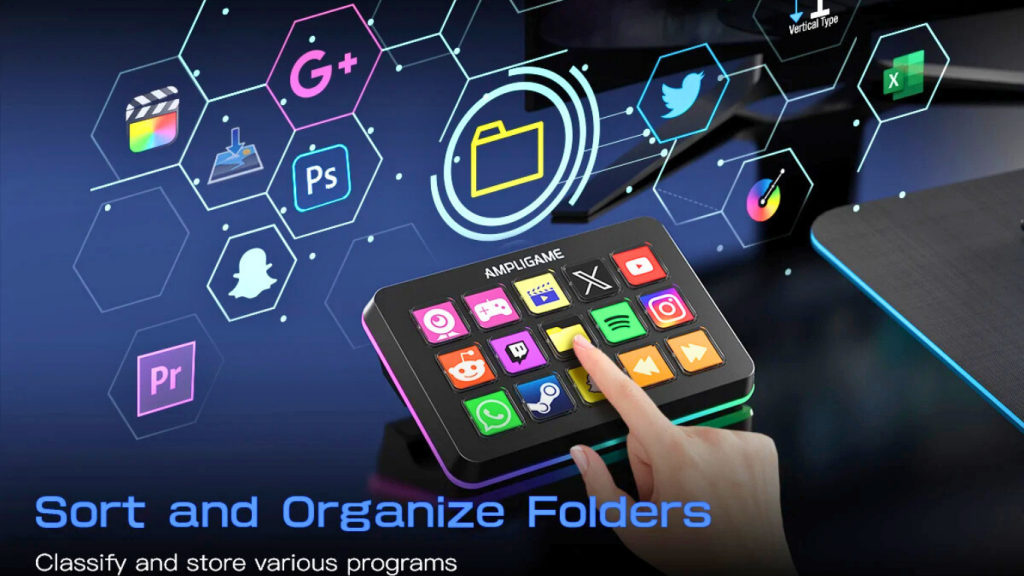
Key Features of the FIFINE D6 Mini Keyboard
15 Customizable Macro Buttons Explained
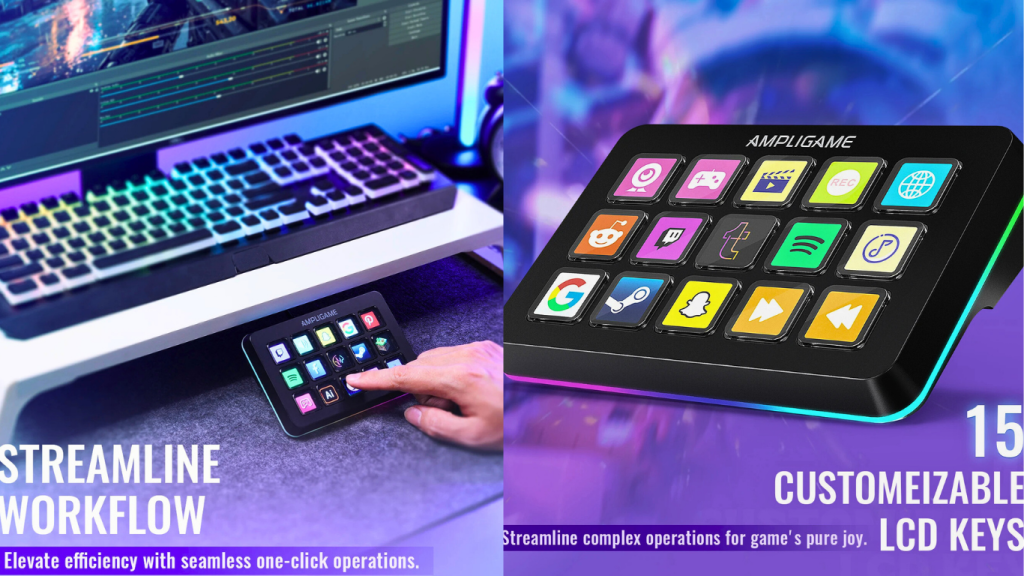
The highlight feature of the FIFINE D6 is undoubtedly its 15 programmable macro buttons. Each button can be customized through the companion app to perform single actions, multi-step commands, or even launch entire workflows. For instance:
- In OBS, one button can switch scenes instantly.
- In Twitch, a button can send preset chat messages or trigger alerts.
- In YouTube, macros can speed up video editing tasks.
- In VK or other platforms, shortcuts make navigation and content management smoother.
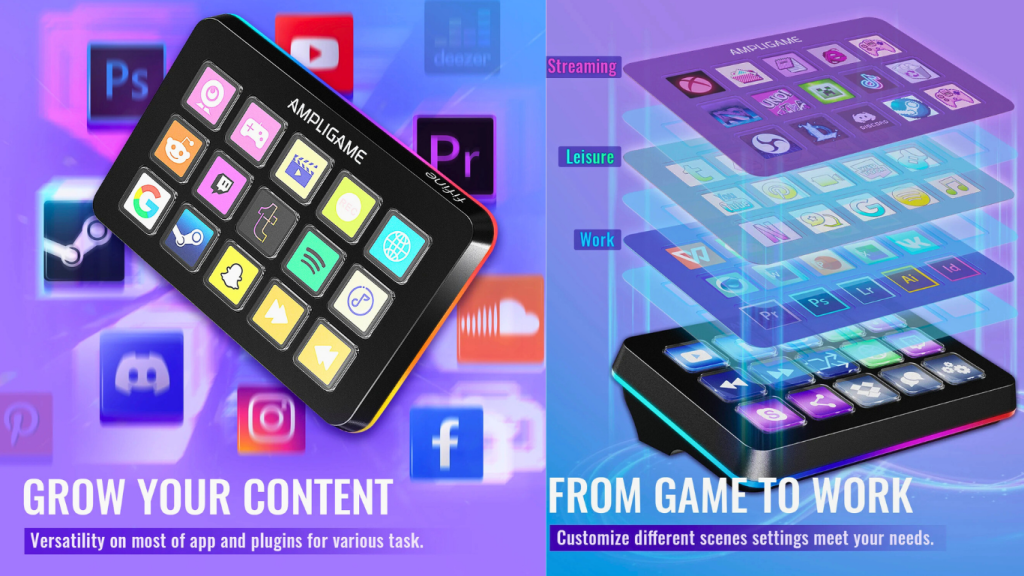
This flexibility means the FIFINE D6 adapts to different workflows. Unlike keyboards with fixed shortcuts, the D6 allows users to create profiles for different purposes—one for streaming, one for gaming, one for office tasks, and so on. With this modular approach, you’re not locked into a single use case; instead, it becomes your personalized command hub.
Compact and Ergonomic Design
The FIFINE D6 is designed with portability and comfort in mind. Its compact size makes it easy to place next to your main keyboard or even take with you on the go. The angled layout ensures ergonomic comfort, so your fingers naturally rest on the keys without strain. Unlike bulky stream decks, this one fits seamlessly into a minimalist setup while still delivering powerful functionality.
The keys themselves are built to be responsive and durable, ensuring that frequent use won’t wear them down quickly. The tactile feedback gives users a satisfying press, which is essential for creators who rely on speed and precision. In addition, the design complements most setups—whether you have a colorful RGB gaming rig or a professional, minimalist studio.
App Integration for Seamless Control
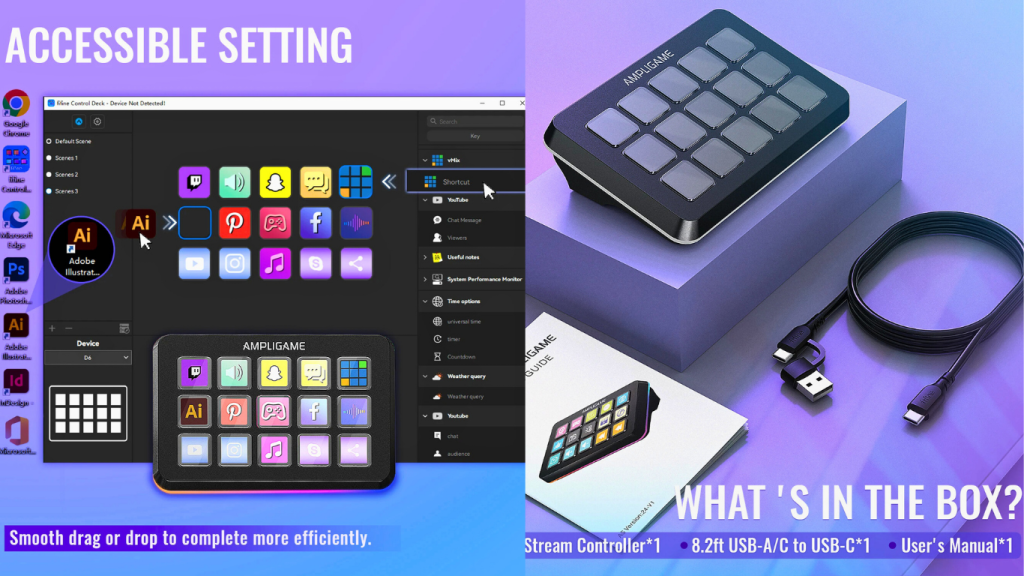
One of the most convenient features of the FIFINE D6 is its dedicated companion app. This software is where the magic happens—you can drag and drop commands, assign shortcuts, and even create multi-step macros that automate entire processes.
The app also allows syncing across different platforms, making it especially valuable for creators who juggle OBS, Twitch, YouTube, and VK. For example, you could program a button to simultaneously start streaming, launch an intro animation, and send a welcome message to your chat—all with one press.
Additionally, the app supports profiles and cloud backups, meaning you can switch setups instantly depending on what you’re working on. This versatility is what makes the FIFINE D6 not just another macro pad, but a true professional tool.
Click Here
Setting Up the FIFINE D6
Easy Plug-and-Play Setup
One of the best things about the FIFINE D6 is that you don’t need to be a tech wizard to set it up. The device is designed for plug-and-play functionality, meaning you can connect it via USB and it’s instantly recognized by most operating systems. While the full power comes from using the app, the basic functions can be accessed immediately.
The straightforward setup process eliminates the frustration that often comes with new tech. No complicated drivers, no messy installation steps—just connect and start configuring. This ease of use makes the D6 accessible not just to experienced streamers, but also to beginners looking to simplify their workflow.
Software Installation and First Use
To unlock its full potential, you’ll need to install the FIFINE D6 companion app. The installation process is quick and user-friendly, with an intuitive interface that guides you through customizing your first set of macros. Once installed, you can start mapping each of the 15 buttons to specific actions.
The app provides templates for common platforms like OBS and Twitch, making it easier for new users to get started. But for advanced users, the customization options are virtually limitless. You can chain multiple commands together, set delays, or even create complex sequences for highly specialized workflows.
Syncing with OBS, Twitch, YouTube, and VK
The real power of the FIFINE D6 comes alive when it’s synced with your favorite platforms. For OBS, you can assign scene transitions, mute/unmute audio sources, or start/stop recordings with a single tap. On Twitch, you can control chat interactions, trigger emotes, or run advertisements effortlessly.
For YouTube creators, the macros can be tailored to speed up editing—cutting, trimming, and exporting videos faster than ever. And for VK users, it streamlines social interactions and content management, turning a time-consuming process into a smooth, controlled experience.
This multi-platform compatibility makes the FIFINE D6 more than just a streaming tool—it’s a universal productivity enhancer.
Customization and Macros
What are Macros and Why They Matter
At its core, a macro is simply a shortcut for multiple actions. Instead of performing a series of steps manually, a macro condenses them into one button press. For example, instead of pressing three different keys to mute, switch scenes, and play an animation, you can assign a single macro that does it all instantly.
Macros matter because they save time and reduce human error. For streamers, this ensures smoother broadcasts with fewer mistakes. For professionals, it means less repetitive work and more time spent on creative or strategic tasks. The FIFINE D6’s 15 macro buttons give you an incredible amount of freedom to design shortcuts that fit your exact workflow.
Creating Custom Macros for Streaming
Streamers benefit the most from macros. Imagine you’re live on Twitch, and you want to switch from your “Just Chatting” scene to your gameplay scene, while also unmuting your mic and starting your game capture. Normally, that’s three separate steps. With the FIFINE D6, you can bundle those steps into one macro button.
Other streaming-related macros could include:
- Triggering sound effects or alerts
- Starting or ending your stream with animations
- Interacting with chat via pre-written messages
- Managing overlays and widgets instantly
This customization not only improves performance but also enhances the viewer experience, since everything looks seamless and professional.
Advanced Automation for Workflows
Beyond streaming, the FIFINE D6 allows you to build advanced automations for any workflow. For example:
- Video editors can assign macros to apply transitions, render projects, or export files.
- Designers can map commonly used Photoshop tools to macro buttons.
- Office workers can automate repetitive Excel or Word functions.
The possibilities are endless, limited only by creativity. By turning repetitive sequences into automated macros, the FIFINE D6 becomes a time-saving powerhouse, making complex workflows feel effortless.
FIFINE D6 for Content Creators
Boosting Efficiency in Live Streaming
When streaming live, every second counts. A delayed reaction or a missed click can disrupt the flow and leave your audience frustrated. With the FIFINE D6, you gain instant access to critical commands, ensuring that your content flows without interruption.
For example, one macro button could be assigned to manage scene transitions, another to control audio, and another to launch overlays. This structured setup gives creators full control while minimizing mistakes. It allows for a more professional-looking production even for solo streamers without a production team.
Enhancing Video Editing Productivity
Video editing is often a time-consuming process filled with repetitive actions. The FIFINE D6 helps creators by assigning macros to cut, split, transition, and render commands. Instead of clicking through menus or remembering dozens of keyboard shortcuts, you can condense them into a handful of buttons.
This is particularly valuable for YouTubers and content editors who spend hours fine-tuning their work. By automating the small but repetitive tasks, you can focus more on the creative side of editing and less on the mechanical process.
Simplifying Multi-Platform Management
Content creators often juggle multiple platforms—OBS for streaming, Twitch for interaction, YouTube for uploads, and VK for community engagement. Switching between these apps manually can become overwhelming. The FIFINE D6 solves this by bringing everything under one roof.
You can create separate profiles for each platform or even design cross-platform macros that trigger actions in multiple apps at once. For instance, starting a stream could simultaneously go live on OBS, send a tweet announcing the stream, and update your status on VK.
This level of integration saves hours of manual effort and ensures that creators can stay focused on engaging their audience rather than managing logistics.